Do I need Google Merchant Center or Google Ads… or both?
This is where most businesses get stuck.
Some set up Google Ads, spend money, and still get no impressions. Others upload products into Google Merchant Center but see zero traffic.
Both situations lead to the same frustration. No visibility. No sales.
Here is the truth that clears everything up.
These two platforms are not the same. They do different jobs. But they depend on each other if you want to run Shopping ads successfully.
If you understand how they connect, you fix most performance problems before they even start.
In this guide, you will learn the real difference, how each system works, and how to use them together the right way.
What is Google Merchant Center?
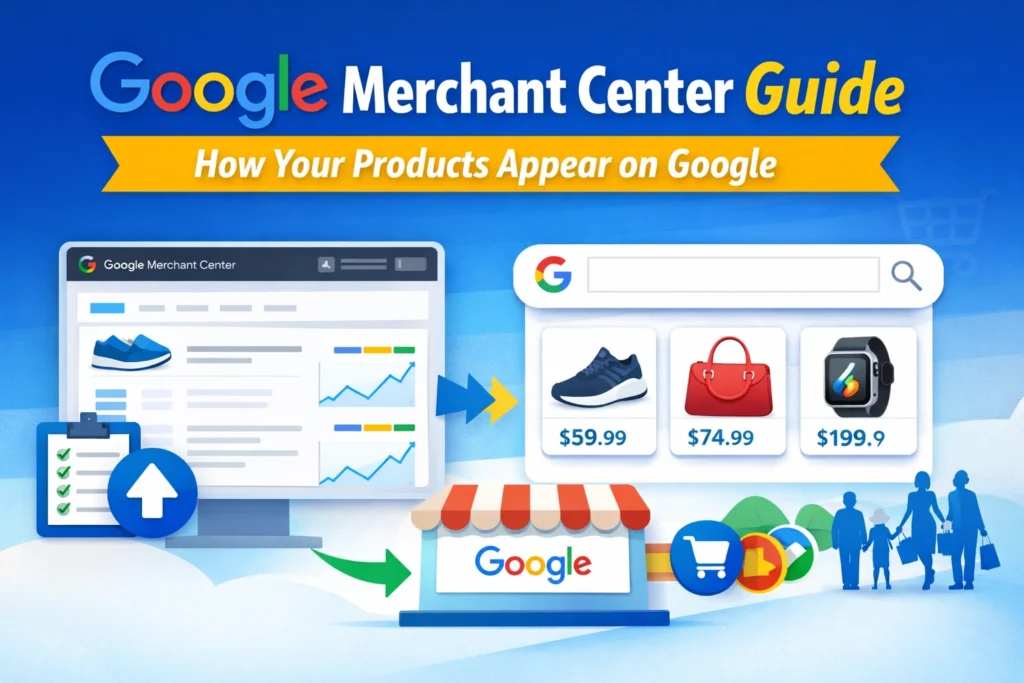
Google Merchant Center is a product data platform where you upload and manage your product information so Google can display your items across Shopping results. If you’re new, you can first understand what Google Merchant Center is in detail.
What Merchant Center Does
Think of Merchant Center as your product database for Google.
It does three critical things:
1. Stores your product data
You upload a feed that includes titles, prices, images, availability, and more. This feed becomes the foundation of everything.
2. Makes products eligible for visibility
Without Merchant Center, your products cannot appear in Google Shopping results. This includes both paid and free placements.
3. Enables free listings
Even without ads, Google can show your products organically if your feed is set up correctly.
Here is where many businesses go wrong.
They treat Merchant Center like a one-time setup. Upload products once and forget it.
That leads to:
- Disapproved products
- Missing attributes
- Incorrect pricing
- Feed mismatches with website
And once the feed breaks, everything else breaks.
If you want a deeper step-by-step setup process, you should connect this with your main guide on Merchant Center setup and optimization. This is where most ranking and conversion issues begin.
What is Google Ads?
Google Ads is Google’s paid advertising platform that drives traffic to your website through campaigns like Search, Display, Shopping, and Performance Max.
Types of Campaigns (Simple and Practical)
Google Ads is not just one thing. It is a system with multiple campaign types.
Here is how they work in real terms:
Search Ads
Text ads that appear when someone searches for keywords.
Example: “buy running shoes online”
Display Ads
Banner ads shown across websites, apps, and YouTube.
Shopping Ads
Product-based ads with images, prices, and store names. These rely on Merchant Center data.
Performance Max
An automated campaign type that uses your product feed and runs ads across all Google channels.
Important point.
Google Ads does not store product data.
It only uses data that comes from Merchant Center.
This is why businesses often fail.
They focus on ads. They ignore the feed.
Then they wonder why performance is poor.
Google Merchant Center vs Google Ads (Core Difference)
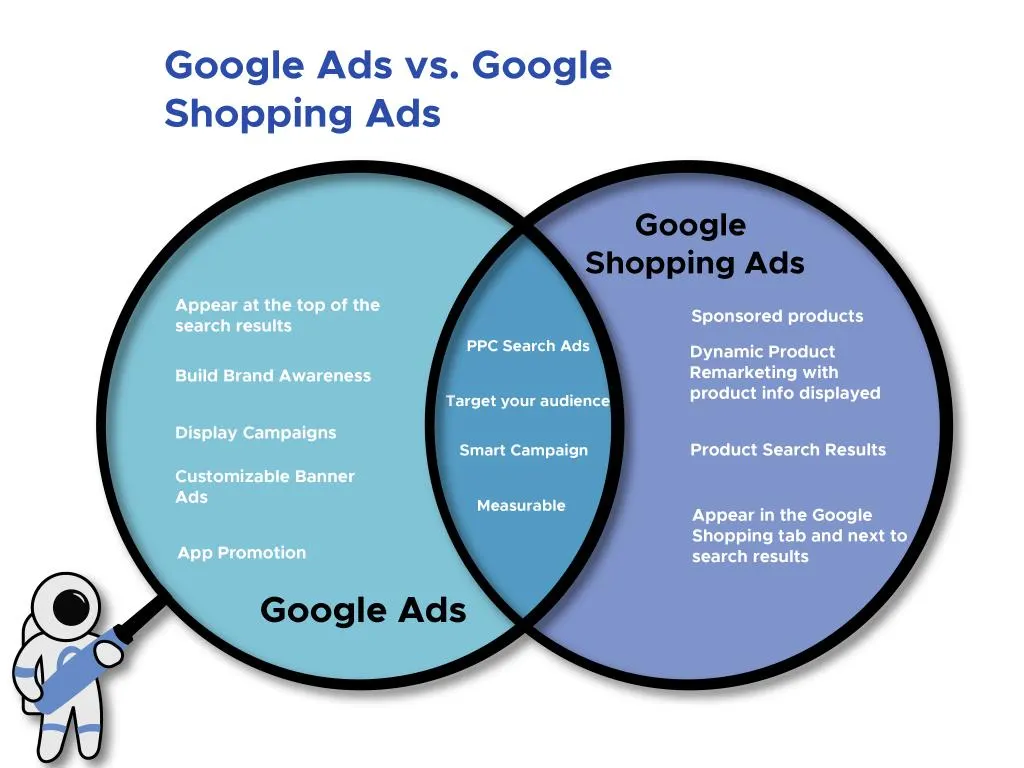
Let’s make this simple and clear.
| Factor | Google Merchant Center | Google Ads |
| Purpose | Store and manage product data | Drive traffic through paid campaigns |
| Function | Supplies product information to Google | Promotes products using ads |
| Cost | Free to use | Paid advertising platform |
| Role | Backend system | Traffic engine |
Key Takeaway
Merchant Center is what you sell.
Google Ads is how you promote it.
If your product data is wrong, ads will not perform well.
If you do not run ads, your reach is limited.
Both systems solve different problems. Together, they create a complete eCommerce growth setup.
How Google Merchant Center Works with Google Ads
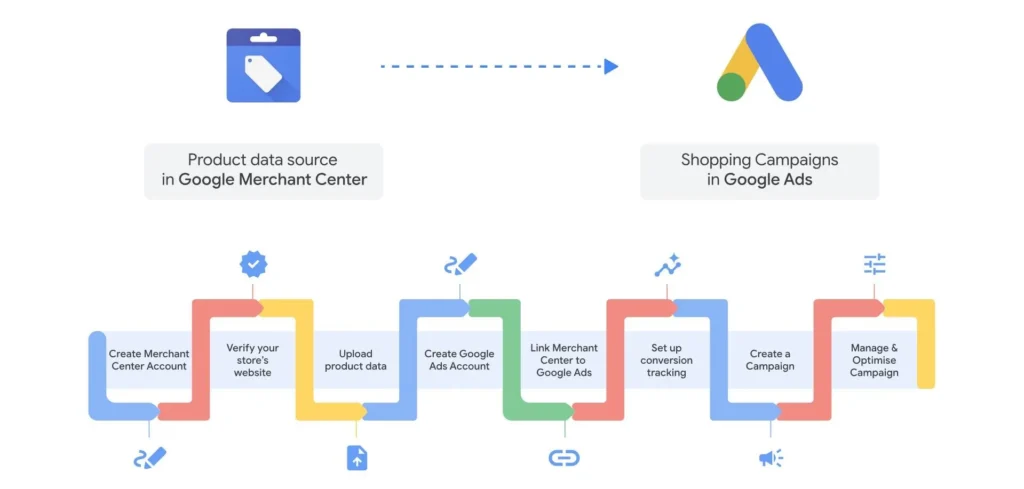
This is where everything connects.
Here is the actual flow, step by step.
Step 1: Upload product feed in Merchant Center
You add all your product details. Titles, images, prices, availability.
If you haven’t set this up yet, follow this step-by-step Google Merchant Center setup guide to avoid common beginner mistakes.
Step 2: Fix errors and get approval
Google reviews your products. If there are policy issues or missing data, products get disapproved.
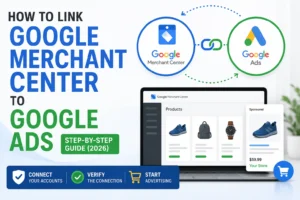
Step 3: Link Merchant Center to Google Ads
This allows Google Ads to access your product feed.
Step 4: Create Shopping or Performance Max campaign
Now Google Ads uses your feed data to generate ads automatically.
Step 5: Ads show based on feed quality and bidding
Your visibility depends on both your product data and your ad setup.
Real Example
Let’s say you sell running shoes.
- Merchant Center holds product info like “Nike Running Shoes, ₹3,999, In Stock”
- Google Ads takes that data and shows it when someone searches “buy running shoes”
If your product title is weak or missing keywords, your ad may not show.
If your price does not match your website, your product gets disapproved.
This is why you need both systems working properly.
And this is the most important rule:
No Merchant Center means no Shopping Ads.
Why This Confusion Causes Real Problems
From experience, most beginners make one of these mistakes:
They run ads without a proper feed
They upload products but never run ads
They ignore Merchant Center errors completely
The result is predictable.
No impressions.
Low click-through rates.
Wasted ad spend.
In fact, many so-called “ad failures” are not ad problems at all.
They are feed problems.
- Poor titles
- Missing GTINs
- Policy violations
- Account suspensions
All of these start in Merchant Center but show up as performance issues in Google Ads.
This is why understanding the difference is not just theory.
It directly affects your revenue.
Connecting This to Real Strategy
If you are running an eCommerce store, your system should look like this:
- Merchant Center manages your product data
- Google Ads brings traffic to those products
- Your website converts that traffic
If one part fails, the entire system weakens.
This is also why internal linking between your educational and service pages matters. For example, linking this topic to your Merchant Center setup or optimization services helps users move from confusion to action.
And it improves indexing and topical authority at the same time.
Do You Need Both Google Merchant Center and Google Ads?
Short answer: it depends on what you want to achieve.
But in most real eCommerce scenarios, you will end up needing both.
Let’s break this down in a way that actually helps you decide.
Scenario-Based Breakdown
| Goal | Merchant Center Needed | Google Ads Needed |
| Show products in free listings | Yes | No |
| Run Shopping ads | Yes | Yes |
| Run Search ads (text only) | No | Yes |
| Scale eCommerce sales | Yes | Yes |
What This Means in Practice
If you only want free traffic
You can use Google Merchant Center alone.
Your products may appear in organic Shopping listings. But reach is limited, and growth is slow.
If you want to run text ads only
You can use Google Ads without Merchant Center.
This works for service businesses or simple product offers, but you lose the visual advantage of Shopping ads.
If you want real eCommerce growth
You need both.
Because Shopping ads and Performance Max campaigns rely on product feeds. Without Merchant Center, they cannot function.
Common Mistakes Beginners Make
This is where most money gets wasted.
Let’s go straight to the problems that show up again and again.
1. Confusing Both Platforms
Many users think Merchant Center is an ad platform.
It is not.
It does not drive traffic. It only prepares your product data.
So they upload products and wait.
Nothing happens.
Because traffic comes from Google Ads.
2. Running Ads Without a Proper Feed
This is the biggest mistake.
People connect Google Ads, create campaigns, and expect results.
But their feed in Google Merchant Center has issues like:
- Missing product titles
- Poor descriptions
- No GTIN or brand data
- Low-quality images
Result:
- Low impressions
- Poor rankings
- High cost per click
Bad feed equals wasted ad spend.
3. Ignoring Merchant Center Errors
Merchant Center shows warnings and disapprovals for a reason.
Common issues include:
- Price mismatch between site and feed
- Policy violations
- Missing shipping details
- Incorrect availability
Most beginners ignore these.
Then they complain that ads are not performing.
In reality, their products are not even eligible to show.
4. Not Understanding Policy Compliance
Google has strict rules for product listings.
If you violate them, you risk:
- Product disapprovals
- Account suspension
- Loss of all Shopping visibility
Fixing suspensions is not easy. It requires identifying the exact issue and correcting it across your website and feed.
This is why proper setup from the start matters.
When Should You Use Each Platform?
Let’s simplify this with real use cases.
Use Only Google Merchant Center
Use only Google Merchant Center when:
- You want free product visibility
- You are testing your store before running ads
- You are not ready to invest in paid traffic
Keep in mind:
Growth will be slow. You are relying only on organic exposure.
Use Only Google Ads
Use only Google Ads when:
- You are running a service-based business
- You are using Search ads for lead generation
- You are not selling physical products
Example:
A digital marketing agency running ads for “Google Ads services” does not need Merchant Center.
Use Both (Best Strategy for eCommerce)
Use both when:
- You sell physical products online
- You want to run Shopping ads
- You want to scale revenue consistently
This is the setup used by serious eCommerce brands.
Because it allows:
- Visual product ads
- Better click-through rates
- Higher purchase intent traffic
And most importantly, control over how your products appear.
Why Most Google Shopping Campaigns Fail
This is where real experience matters.
Most people think their campaigns fail because of:
- Bad targeting
- Low budget
- Wrong bidding strategy
But in reality, the problem is usually deeper.
1. Feed Issues
Your feed controls:
- What keywords your products match
- How relevant your ads are
- Whether your products even show
If your product title is weak, your visibility drops.
If your data is incomplete, Google limits your reach.
2. Missing or Incorrect Data
Google relies on structured product information.
If you are missing:
- GTINs
- Brand names
- Accurate categories
Your products compete poorly.
Even with high ad spend, performance stays low.
3. Policy Problems
This is one of the most damaging issues.
Violations can include:
- Misleading pricing
- Inconsistent product details
- Poor website experience
Once your account is flagged, everything slows down.
In some cases, accounts get suspended completely.
4. Weak Product Pages
Even if your ads work, your website must convert.
Common problems:
- Slow loading pages
- Poor product descriptions
- Lack of trust signals
This leads to:
- High bounce rates
- Low conversions
So even good traffic does not turn into sales.
The Real Truth
Most Shopping campaign failures are not ad problems. If you’re facing these issues, this complete Google Merchant Center optimization and suspension recovery guide explains how to fix feed errors, policy violations, and account problems step by step.
They are Merchant Center problems.
This is the part many marketers ignore.
And this is why businesses struggle to scale.
How to Fix It
Now let’s talk about what actually works.
1. Clean and Optimize Your Product Feed
Your feed should include:
- Clear, keyword-rich product titles
- Accurate pricing and availability
- High-quality images
- Complete attributes
Think of your feed as your ad foundation.
If this is strong, everything else becomes easier.
2. Fix All Merchant Center Errors
Do not ignore warnings.
Go inside Google Merchant Center and resolve:
- Disapproved products
- Account issues
- Missing data
This directly improves your ad performance.
3. Set Up Campaigns Correctly
In Google Ads:
- Use proper campaign structure
- Start with Performance Max or Shopping campaigns
- Monitor search terms and performance data
Do not just launch and forget.
Optimization is ongoing.
4. Ensure Website Consistency
Your website must match your feed.
Check:
- Price consistency
- Product availability
- Landing page accuracy
If these do not align, Google flags your account.
Struggling to Get Results?
If you are facing issues like:
- No impressions
- Low clicks
- Poor conversions
- Merchant Center suspensions
You are not alone.
Most of these problems come from setup errors, not strategy.
And fixing them requires:
- Technical understanding of Merchant Center
- Experience with Google Ads campaigns
- Knowledge of Google policies
This is where expert help becomes valuable.
Because guessing leads to more delays and more lost revenue.
If you’re stuck with low impressions, disapproved products, or account suspension issues, you may need expert help. Our Google Merchant Center service helps fix feed errors, resolve suspensions, and improve Shopping campaign performance.
Conclusion
At this point, the difference should be clear.
Google Merchant Center is your product system.
Google Ads is your traffic system.
One cannot replace the other.
If you only use Merchant Center, you limit your reach.
If you only use Google Ads, you miss out on Shopping ads completely.
But when both are set up correctly, they create a system that actually drives sales.
Here is the simplest way to think about it:
- Merchant Center controls what Google knows about your products
- Google Ads controls how aggressively you promote them
If your feed is clean, your ads perform better.
If your ads are optimized, your products get more visibility.
This is not theory. This is how real eCommerce growth happens.
And if something is not working, always check your Merchant Center first.
Because most of the time, that is where the problem starts.
FAQs
What is the difference between Google Merchant Center and Google Ads?
Google Merchant Center stores and manages your product data, while Google Ads is used to promote those products through paid campaigns. One handles data, the other drives traffic.
Can Google Ads work without Google Merchant Center?
Yes, but only for certain campaign types.
You can run Search or Display ads using Google Ads without a Merchant Center. However, you cannot run Shopping ads or Performance Max campaigns without Google Merchant Center.
Is Google Merchant Center free to use?
Yes.
Google Merchant Center is free. You can upload products and get visibility through free listings without paying. Costs only come in when you use Google Ads for paid promotion.
Why are my products not showing on Google?
This usually happens due to Merchant Center issues.
Common reasons include:
1. Product disapproval
2. Missing or incorrect data
3. Policy violations
4. Poor product titles
Always check Google Merchant Center diagnostics first. Most visibility problems start there, not in ads.
Do Performance Max campaigns require a Merchant Center?
Yes.
Performance Max campaigns rely on product data from Google Merchant Center. Without a connected feed, these campaigns cannot run for eCommerce products.
Final Strategic Insight
If you remember one thing from this guide, make it this:
Most businesses try to fix results inside Google Ads.
But the real fix is often inside Merchant Center.
Clean data leads to better ads.
Better ads lead to more sales.
That is how both platforms work together.

Mandeep Wraich
Digital Marketing Specialist and Content Strategist focused on data-driven growth, SEO, and performance-led content. At AIPulseInsights.com, articles explore how AI, analytics, and emerging digital trends influence marketing strategies, brand visibility, and business decision-making. With a strong foundation in content analysis, paid media, and strategic storytelling, the work shared on this platform converts complex industry shifts into practical insights that support marketers and businesses in achieving consistent, measurable growth. The goal is to simplify innovation and empower readers to stay ahead in a rapidly changing digital landscape.